Comparison · As of October 2026
Translating messages vs talking: WhatsApp, Apple and Telegram translation for couples
The translate buttons in WhatsApp, Telegram and Instagram help you read a message in a language you don't know. That's useful. It's also a different thing from a conversation where you both just talk, each in your own language.
We make Aeva, so take our view with that in mind. Where we describe other apps, we stick to what the company or a reliable how-to has published, and link to it. Features change quickly; everything below is as of October 2026.
Two different jobs
Translating a message
A message arrives in a language you don't read. You press and hold, tap Translate, and work out what it says. Then you answer — in their language, in a shared second language, or by translating your reply somewhere else and pasting it back in.
Having a conversation
You write in your language. They read it in theirs, as soon as it arrives. They answer in their language, and you read it in yours. Nothing to tap, nothing to paste. Voice messages work the same way.
Built-in translation is designed for the first job: the occasional foreign message in a chat that is otherwise in one language. Aeva is built for the second: a chat where you and the other person don't share a language at all, and every message is foreign to one of you.
What a conversation in Aeva looks like
Here is one chat, seen by both people at the same moment. Olesya only ever types Ukrainian and only ever sees Ukrainian. John does the same in English. When he jokes that he has been practising for her grandma and made toast without burning it, the joke arrives in Ukrainian — and her laugh comes back in English. Neither of them pressed anything.
Demo chat · real Aeva iPhone screenshots, test accounts
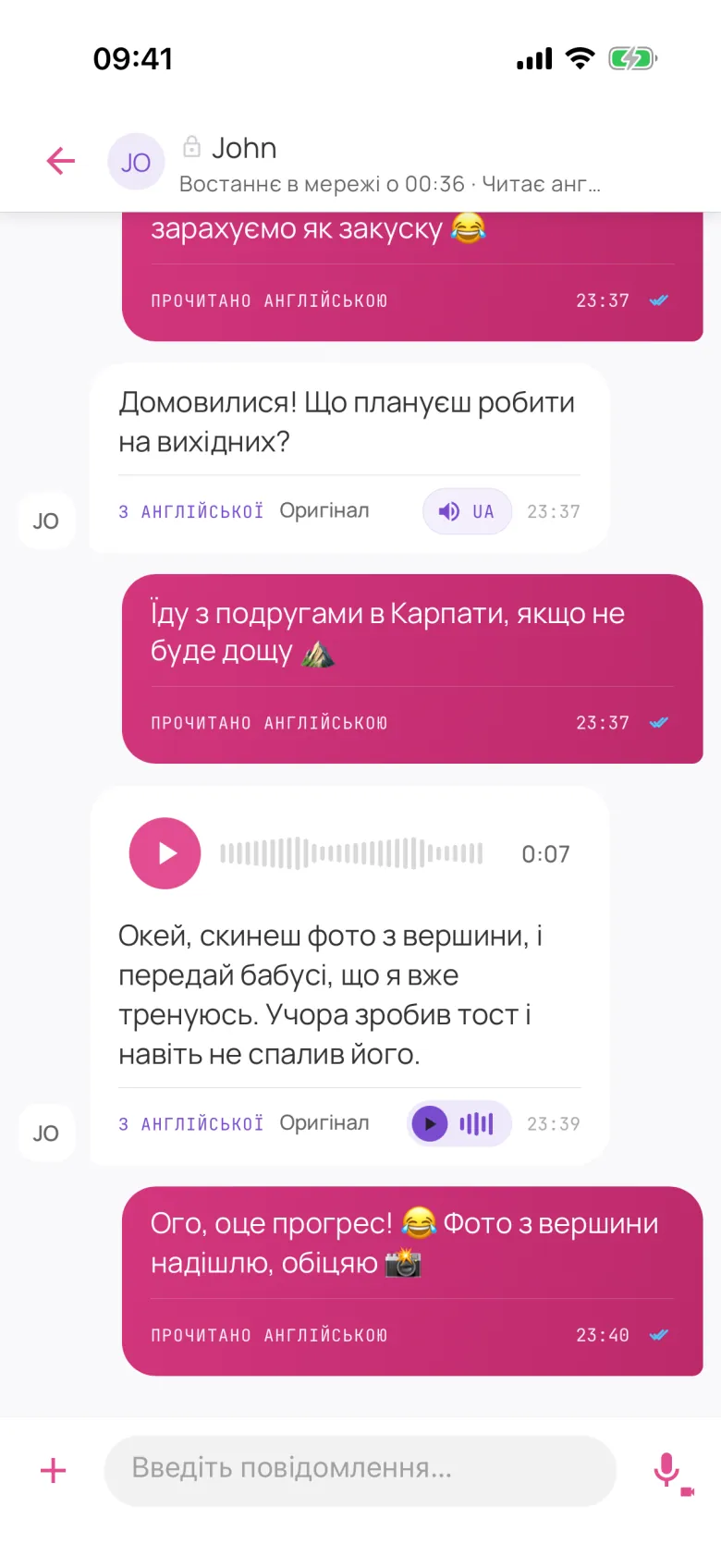 Olesya's screen · Ukrainian
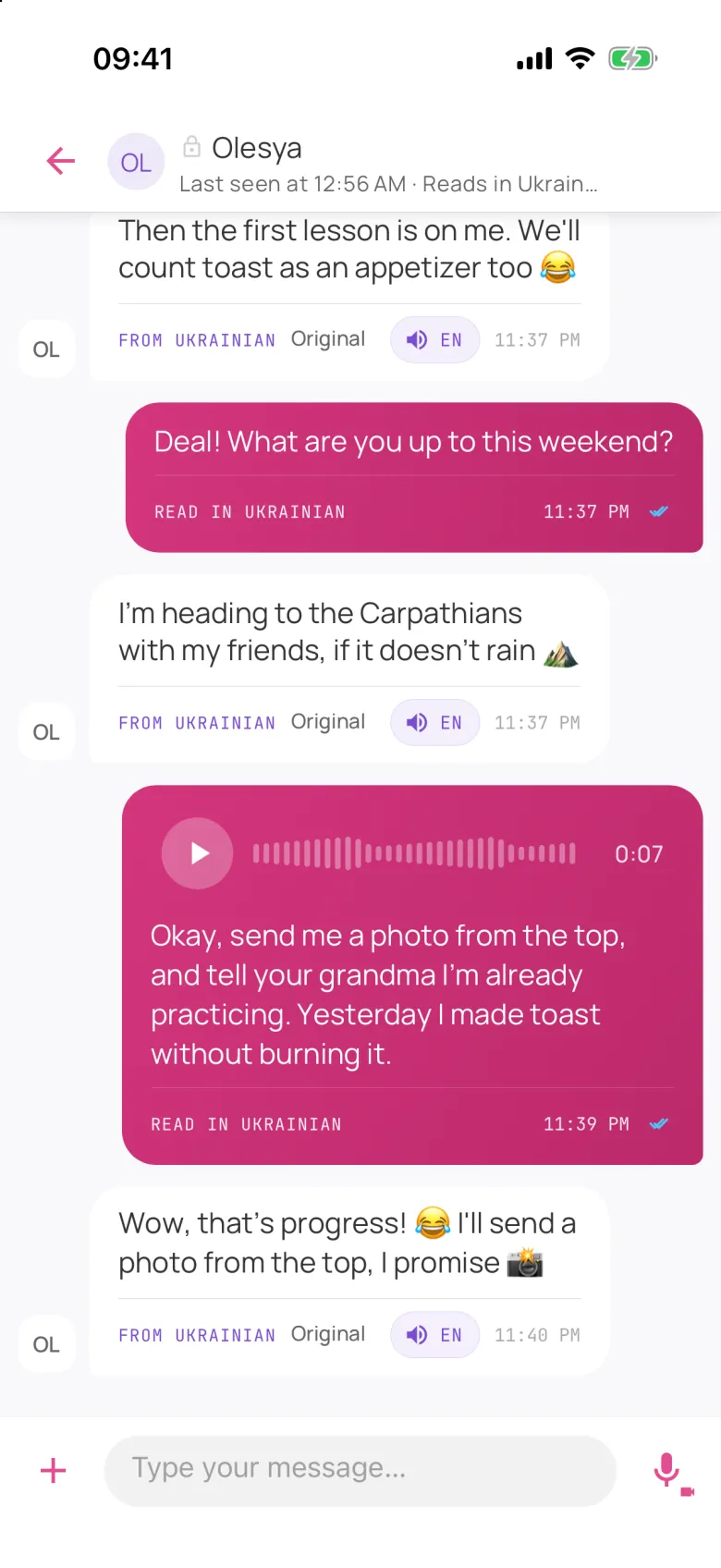 John's screen · English
- Write the way you talk. Slang, teasing, long messages at midnight — in your own language, because that's the language you're funny in.
- Read without tapping. Each message is translated as it arrives, so the chat on your screen is simply in your language.
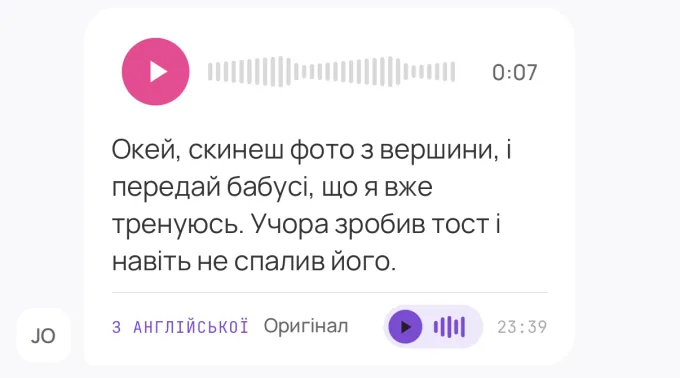
- Voice messages, too. Record in your language. The other person sees what you said in theirs and can listen to it spoken in theirs in a natural voice.
Aeva covers 22 languages, including Russian, Ukrainian, Polish, Turkish, Arabic, Hindi, Bengali, Urdu, Tagalog, Chinese, Japanese and Korean. Both people install it on iPhone or use it on the web (the Android app is in closed testing). Translation runs in the cloud on Google Gemini, not on your device. New accounts start with free credits, enough for hundreds of messages; after that you buy credit packs and pay only for what you translate. There is no subscription.
What the built-in options do
For reference, here's what each app has published about its translation feature.
- How
- Long-press a message you received and tap Translate. One message at a time. Available since September 23, 2025.
- Languages
- On Android at launch: English, Spanish, Hindi, Portuguese, Russian and Arabic (no Ukrainian). On iPhone: 19+ languages via Apple's translation, including Ukrainian.
- Privacy
- WhatsApp says translations happen on your device, where WhatsApp can't see them.
Source: WhatsApp blog
Telegram
- How
- Translate individual messages for free. Real-time translation of whole chats is part of Telegram Premium.
- Cost
- Single messages free; whole-chat translation needs a Premium subscription.
Source: Telegram Premium FAQ
Instagram DMs
- How
- Press and hold a message and tap Translate; the translation appears under the original. Announced in February 2025.
Source: Meta newsroom
Apple Messages — Live Translation
- How
- Turn on "Automatically Translate" for a conversation (iOS 26). It translates both ways: your outgoing messages show in your language and the translated version, incoming ones show the original with a translation underneath. You may need to download a language pack first.
- Languages
- Nine: Chinese (Mandarin, Simplified), French, German, Italian, English, Japanese, Korean, Portuguese (Brazil), Spanish (Spain). No Russian or Ukrainian.
- Needs
- An Apple Intelligence iPhone (iPhone 15 Pro or newer). Works best when both people are on Apple's latest systems, though you can translate incoming messages from Android phones.
Source: MacRumors how-to
Apple's Live Translation is the closest of these to a two-way conversation — if both of your languages are among its nine and you're both on recent iPhones. The others translate what you read; writing back is still up to you.
When a translate button is all you need
- You mostly talk in a shared language and only occasionally want a word or sentence decoded.
- You don't want another app. Built-in translation lives where your chats already are.
- On-device translation matters to you. WhatsApp says its translations stay on your device; Aeva's translation runs in the cloud.
- Your languages are covered on both phones — say, English and Spanish on recent iPhones with Live Translation.
When you'd rather just talk
- Every message needs translating. Tap, read, then compose in a language that isn't yours, hundreds of times a week, in the most important chat on your phone.
- You want to sound like yourself. Teasing, irony and affection are most of what a couple says to each other, and they're hard to write in a language you're still learning.
- You send voice messages. Hearing each other matters, and a text translate button doesn't help with a voice note.
- Your languages aren't covered. As of October 2026, Ukrainian and Russian aren't in Apple's Live Translation, and Ukrainian wasn't in WhatsApp's Android launch list.
Nothing stops you from using both: keep your usual messenger for everything else, and use Aeva for the conversation where language gets in the way.
Write in yours. Read in yours.
Both of you install Aeva. New accounts start with free credits, enough for hundreds of messages.
Or use Aeva in your browser. Android app coming soon, now in closed testing.
Questions people ask
What's the difference between a translate button and Aeva?
A translate button is a reading tool: you tap a message and see what it says. Your reply still has to be written in the other person's language, or translated somewhere else and pasted in. In Aeva you just talk: each person writes and reads in their own language, every message arrives already translated, and voice messages are transcribed, translated and spoken in the other person's language.
Does WhatsApp translate Ukrainian?
On iPhone, yes: WhatsApp uses Apple's translation, which covers 19+ languages including Ukrainian. On Android, the launch list in September 2025 was English, Spanish, Hindi, Portuguese, Russian and Arabic, without Ukrainian. In both cases it translates messages you receive, one at a time.
Does Apple's Live Translation in Messages support Russian or Ukrainian?
As of October 2026, no. It supports nine languages: Chinese (Mandarin, Simplified), French, German, Italian, English, Japanese, Korean, Portuguese (Brazil) and Spanish (Spain). It also needs an iPhone that supports Apple Intelligence (iPhone 15 Pro or newer).
Is built-in translation good enough for a relationship?
If you share a language and only need help with the odd message, yes. It gets tiring when every message needs translating, when you want to send voice messages, or when your language pair isn't covered.